ComfyUI review for studios: node graphs, learning curve, cost
ComfyUI is a node graph for image, video, audio and 3D generation. It runs free on your own GPU, but custom nodes, model files and updates become your maintenance work.
What ComfyUI is
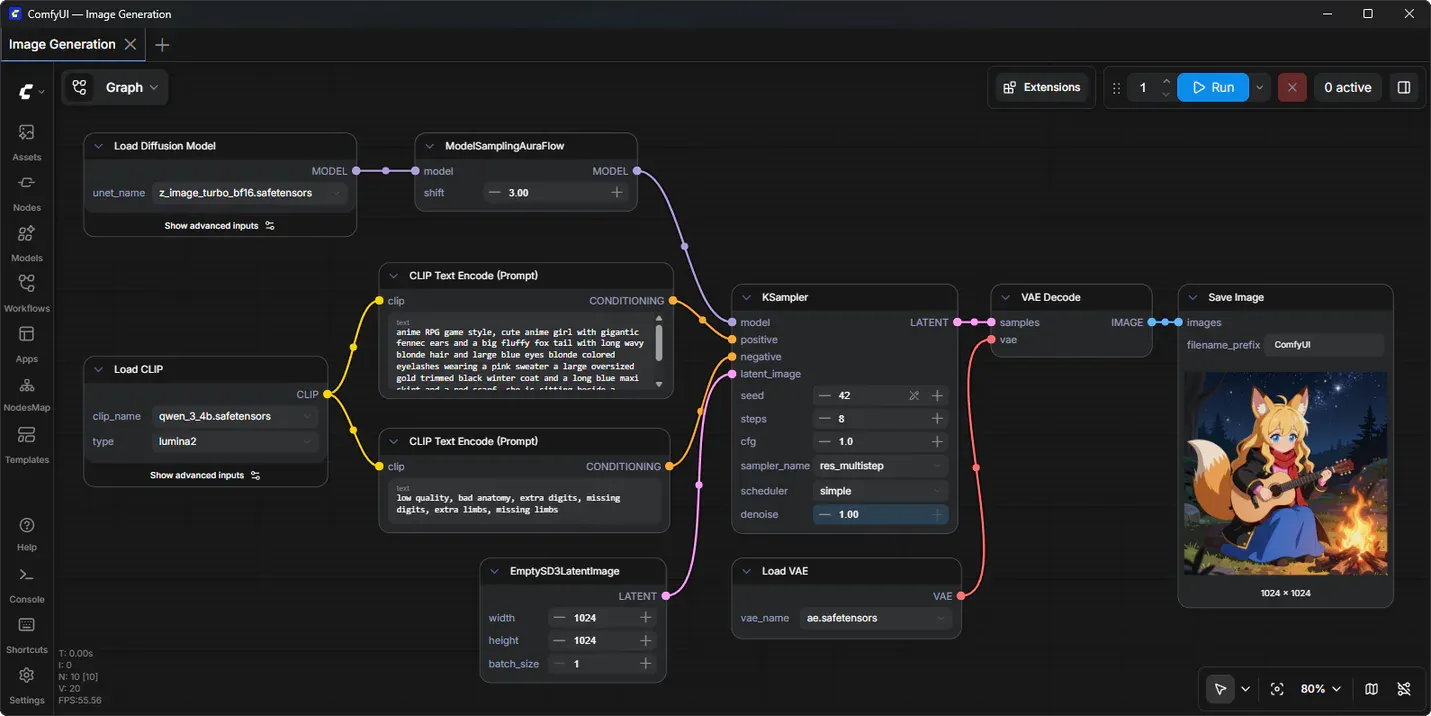
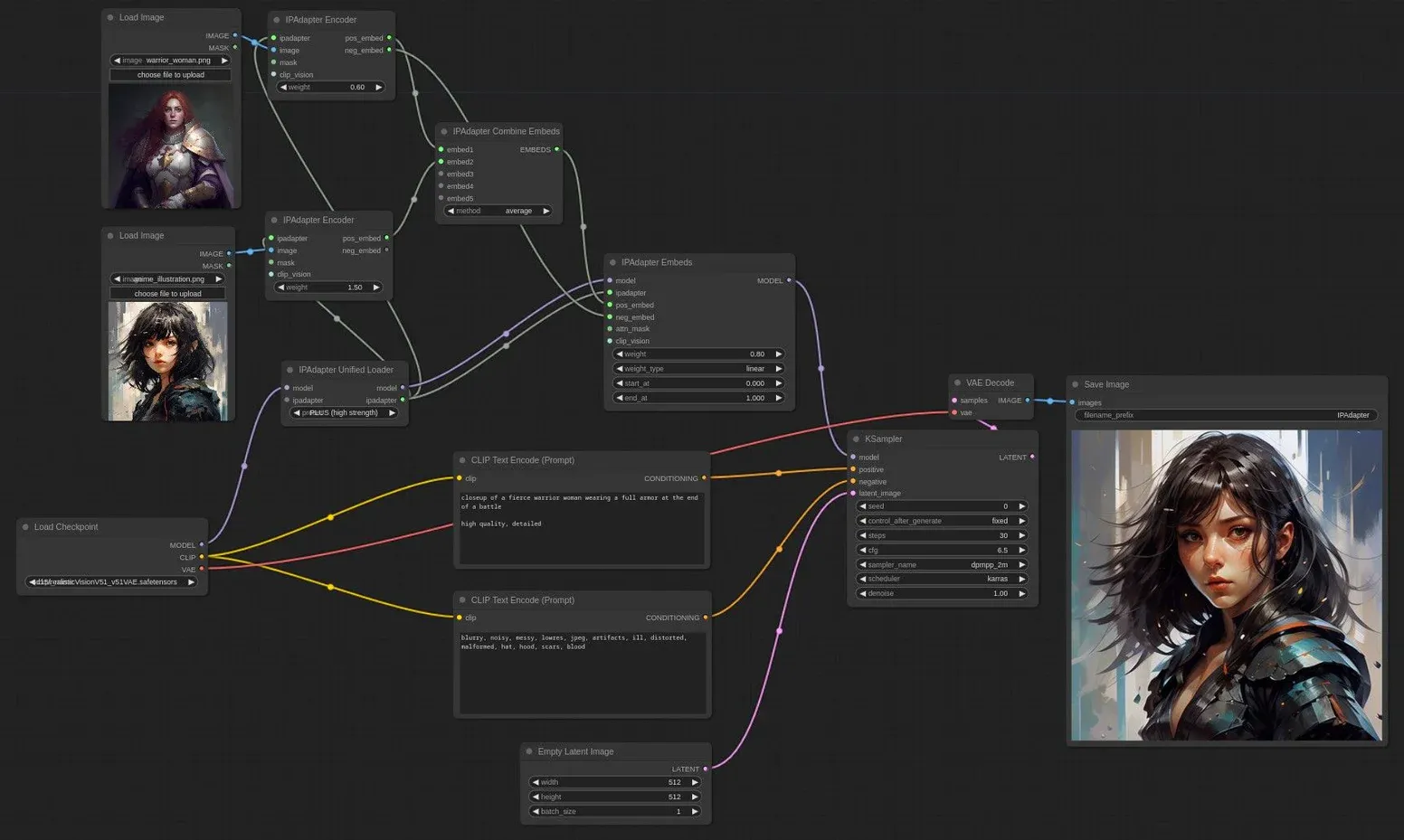
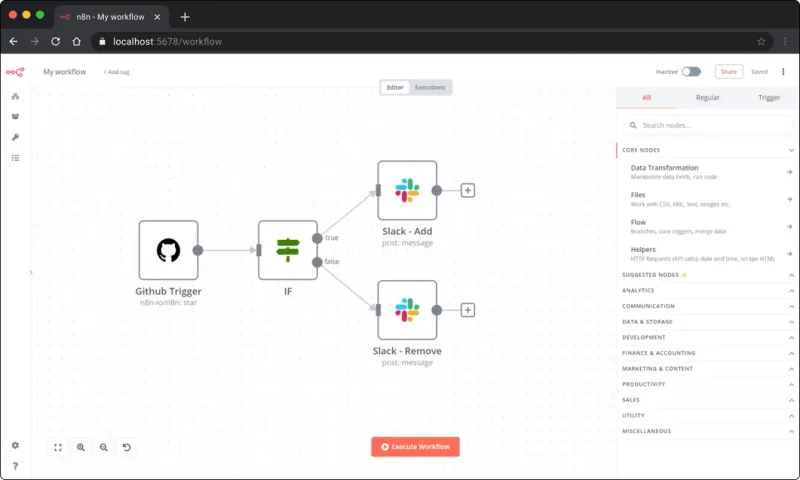
ComfyUI is a node graph for generative media: you place model loaders, prompt encoders, a sampler and output nodes on a canvas, wire them, and the graph produces an image, a video, a 3D file or audio. It is GPL-3.0 software, it runs on your own machine, and it saves the graph as JSON. For a studio that last fact is the one that matters, because the pipeline becomes an artifact you can version and hand to a client. That is a different contract from sending over a folder of prompts and hoping.
The trade is honest. Nothing in ComfyUI hides complexity, so the tool rewards the person who can read a node title and trace a wire, and it punishes everyone else.
What the repository tells you before you install anything
Comfy-Org/ComfyUI has 147,485 stars and 17,629 forks according to the GitHub API on 18 November 2026. The repository was created on 17 January 2023 and last pushed on 18 November 2026, the day its latest stable release, v0.46.0, went out. GitHub lists 352 contributors. The code is Python and the SPDX tag is GPL-3.0, which I checked against the LICENSE file.
Cadence matters more than the star count. Releases on 19 and 27 October and on 4, 10 and 18 November 2026 mean a stable version every one to two weeks, and the README says the project targets a weekly cycle on Mondays. The same README warns that commits outside the stable tags "may be very unstable and break many custom nodes". That pair of lines describes the job: a moving engine, and third-party packs trailing it.
GPL copyleft has a narrow consequence here. Hand a client a modified copy of the program and you owe them the source for that copy. Delivering images from an unmodified install does not trigger that duty, since section 2 of the LICENSE file says output from a covered work is covered only if the output itself is a covered work. Model files carry their own terms, and this article verifies none of them.
The problem in the room
The client likes the picture and wants the fox to play a different song. This is the fourth revision, and the round costs an afternoon of re-running steps you did once by hand and never wrote down. In a tab-based tool the pipeline lives in a session's memory: a checkpoint here, a resizer there, a denoising strength you picked by feel. Nothing is saved as a unit.
ComfyUI attacks exactly that. The graph is the recipe, the recipe is a file, and the file re-runs with nobody from the project in the room. That same file is what a client stares at and refuses to touch, and every custom node in it is code somebody else wrote and may stop maintaining. Those two facts decide the purchase, and neither appears in a features list.
What the tool actually does
The README describes a "visual node graph for building and reusing image, video, audio, 3D, and text workflows without code", plus subgraphs, workflow templates, App Mode and a local API. The model list is representative rather than complete, spanning Stable Diffusion 1.5 through SD3.5, Flux.1 and Flux.2, Qwen Image, video models such as Wan 2.2 and LTX-Video, and audio and 3D loaders. Dragging a generated PNG back onto the page restores the full workflow, seeds included.
Three details decide the studio case. Execution is incremental: the README notes that only the parts of the graph that changed since the last run get re-executed, which is what makes iteration cheap on a modest GPU. Memory management is the headline claim, with asynchronous weight streaming that the README says runs the largest open models on 4GB of VRAM plus 8GB of system RAM "relatively quickly". The core is offline by default, and --offline or --disable-partner-nodes removes the paid API nodes.
App Mode answers the objection you will hear from your own team. The docs describe it as turning a workflow into a form: you pick which inputs and outputs other people see, set a default view, and the workflow opens as a panel with a Run button. It is officially supported from front-end version 1.41.13.
Install and run on a real machine
The docs list four local routes: Comfy Desktop (Windows, macOS on Apple Silicon, Linux through AppImage or .deb), the Windows portable archive, a manual git install, and comfy-cli with pip install comfy-cli then comfy install. Desktop tracks the stable release by default, the portable build runs the latest commits, and the docs recommend the manual install for servers.
The machine requirements are stated plainly. Python 3.13 is the recommended interpreter, 3.12 is the fallback when custom node dependencies misbehave, and 3.14 works but is rough. PyTorch must match the hardware: the docs give install commands for NVIDIA on CUDA 13.0, AMD on ROCm, Intel Arc, Apple Silicon and CPU-only via --cpu. Chrome 143 or later is recommended, since earlier versions cause visual glitches. A fresh install serves the app at http://127.0.0.1:8188.
Two omissions belong in any plan. ComfyUI publishes no official Docker image, and the docs point to community images that Comfy-Org neither maintains nor supports. The same page warns that "The ComfyUI server has no authentication by default", so a non-loopback bind needs a trusted network or an authenticating reverse proxy in front.
The learning curve, and who inside the studio clears it
The learning curve is two curves. The first is graph literacy: once a person sees that a checkpoint, a VAE, a text encoder and a sampler are separate objects with typed sockets, the canvas stops being scary. That part takes a morning. The second curve is environment literacy, and it never ends. Custom node packs arrive from GitHub and the registry at registry.comfy.org, each brings its own Python dependencies, and the docs' cloud-versus-local table says a self-hosted setup means you "troubleshoot custom node installations and local installation issues".
No source publishes a training time, so treat any figure you hear as anecdotal. Give the artists an App Mode form and they run a pipeline you built without opening the canvas. Give one person the maintenance role, with hours attached to it, instead of pretending the updates cost nothing.
Handover: what the client actually inherits
A ComfyUI handover is a stack of four artifacts, and studios usually deliver one. There is the workflow JSON. There are the model files, which are large, licensed separately and outside anything the tool exports. There is the environment: the ComfyUI version, the node packs with their commits, and the pip set. And there is the output, which carries more than most studios notice.
ComfyUI embeds the complete workflow and the API prompt inside generated PNG, WebP, MP4 and safetensors files, per the docs on workflow metadata, which is why dragging a file onto the canvas recovers the graph. Comfy Desktop snapshots record the software stack: the ComfyUI commit, every custom node with its commit, and pip freeze. They do not record models, workflows, outputs or settings, and a deleted model stays deleted after a restore, the docs state. Snapshots live in the instance folder, so uninstalling takes the history unless you export first.
None of this needs a licence key or a vendor account. A workflow with six custom node packs is also a standing maintenance obligation, and a client who receives only the JSON inherits something that will not run.
How the options compare
| ComfyUI | AUTOMATIC1111 stable-diffusion-webui | Fooocus | |
|---|---|---|---|
| What it is, in its own words | A visual node graph for image, video, audio, 3D and text workflows (README) | "A web interface for Stable Diffusion, implemented using Gradio library" (README) | "an image generating software (based on Gradio)" (readme) |
| License, and what it adds | GPL-3.0: a modified copy you convey must ship with its source | AGPL-3.0: the same copyleft, plus source duties when a modified version runs as a network service | GPL-3.0: same copyleft duty as ComfyUI |
| Where it runs | Windows, macOS, Linux, your own server on port 8188, rented GPU, Comfy Cloud | Windows, Linux, macOS as a Gradio web page; the README links install guides for NVidia, AMD, Intel and Ascend | Windows archive plus run.bat; Docker files in the repository; other platforms Not verified for this article |
| What it needs to run | Python 3.13 recommended, hardware-matched PyTorch, Chrome 143 or later, GPU or CPU mode | Python 3.10.6 and Git on Windows; the README notes the one click script still leaves Python and Git to you | 4GB Nvidia VRAM minimum per the readme; default models download on first launch |
| Model coverage today | SD 1.5 to SD3.5, Flux, Qwen Image, Wan and LTX video, audio, 3D loaders (representative README list) | txt2img, img2img and upscale modes plus community extensions; current frontier model support Not verified for this article | Stable Diffusion XL only, and the readme states no current plans to migrate to newer architectures |
| What the reader maintains afterwards | Python environment, custom node packs, model files, a stable release every one to two weeks | Extensions and their dependency pins; the webui itself last pushed 2 March 2026 | Little: the readme declares limited long-term support with bug fixes only |
| Community and support | Docs, registry.comfy.org, Discord, Matrix, 352 listed contributors; no paid support offer for the local app | Project wiki and a large extension ecosystem; no paid support found | Readme points bug reports to the tracker; no paid support found |
| Stars, forks, last push | 147,485 stars, 17,629 forks, pushed 18 November 2026 | 165,339 stars, 31,115 forks, last pushed 2 March 2026 | 53,950 stars, 8,622 forks, last pushed 1 December 2025 |
| Best fit | Reusable pipelines, video and multi-model work, API delivery into a client system | One operator doing still images on familiar SD-era models | Prompt-only work, cheap handover, a low VRAM machine |
The counts in that row come from the GitHub API on 18 November 2026. Three cells stay open. Fooocus support outside Windows is not verified here, and its readme closes it. Whether any of the three sells support is unverified: the ComfyUI support pages route help to GitHub, a form and Discord. Per-model VRAM floors are open for all three, since the published numbers are minimums for a class of models rather than for the one you sell, and the only real fix is running your workflow on your own card.
Cost and packaging
The program costs nothing and a local install needs no account. The docs are direct: ComfyUI stays free and open for local graph execution, and credits apply only to Partner Nodes and Cloud billing features. Partner Nodes call closed models such as OpenAI, Kling and Luma, and need a Comfy account plus prepaid credits; --offline and --disable-partner-nodes take them out of the build.
Comfy Cloud is where a studio can stop owning the boxes, and the pricing page I read on 18 November 2026 listed four tiers plus five free runs. Standard was 20 dollars a month, or 16 on yearly billing, with a 30 minute runtime cap. Creator was 35 or 28 and adds importing your own models. Pro was 100 or 80 and raises the cap to an hour. Team was 700 or 630 for up to 50 members, with a shared credit pool and per-member concurrency; Enterprise has no published price. Cloud runs on Blackwell RTX 6000 Pro cards with 96GB VRAM, includes custom Builds from Standard upward, and bills GPU time by the second. The docs add their own limits: 30 minutes on Standard and Creator, one hour on Pro, and one workflow at a time in the editor unless you pay to submit through the API.
Treat those figures as a snapshot, since the subscription docs say plan prices, credit amounts and discount rates can change. Fooocus and the AUTOMATIC1111 webui ship no paid tier, which matters when someone proposes paying for simplicity: with those two the price of a simpler interface is your maintenance time rather than an invoice.
Failure modes, and what the tracker says
The tracker is busy. GitHub search returned 4,514 open issues excluding pull requests on 18 November 2026, and 2,091 of them mention "custom node". That ratio tells you where the pain sits. The most commented open issues that day include number 14618, on ComfyUI reloading models whenever a prompt changes (121 comments), and number 15255, a VRAM streaming crash called a regression after an August 2026 update (79 comments). A weekly release train produces that traffic, and it lands on whoever updates.
The project documents the rest. The README warns that commits outside stable tags can break many custom nodes. The update guide marks the portable script that reinstalls all Python dependencies as dangerous, since it breaks nodes pinned to specific packages. Comfy Cloud runs a fixed set of node packs, so a workflow built on an exotic pack shows as unsupported in the Errors tab and will not run there as it is, even though paid plans offer custom Builds.
Mitigation is unglamorous: install from a stable tag rather than master, snapshot before every update, keep the custom node count near the floor, put an authenticating proxy in front of any non-loopback bind, and test a new model release on a spare machine before you promise a client a new look.
A recipe for running it on a client project
1. Pick the install per person: Desktop on the stable channel for artists, a git install pinned to a tag such as v0.46.0 for the render box, with that tag written in the project notes and verified by git describe. 2. Freeze the environment once per project. Take a Comfy Desktop or ComfyUI-Manager snapshot, export it, and commit the JSON next to the workflow. Verify that a restore on a second machine reproduces the run. 3. Point every install at one model library instead of copying weights. The README documents extra_model_paths.yaml, and verifying it means one shared folder plus a checksum list of the files the job uses. 4. Wrap the graph before handover. Build an App Mode interface with only the fields the client should touch, then verify that a colleague who has never opened the canvas can produce an acceptable output from the form. 5. Decide who computes after you: the client runs the desktop install and snapshot on their GPU, you keep the GPU behind an authenticated endpoint, or you deploy a Build on Cloud at the price shown that day. Put that choice in the statement of work.
Every step leaves a file you can check in the repository.
Who should not use it
Studios whose deliverable is a single PNG from an off-the-shelf model should not install this. Fooocus does prompting, costs nothing, needs 4GB of Nvidia VRAM, and its readme counts fewer than three clicks between download and first image. Its limits are stated out loud: SDXL only, bug fixes only, and the readme sends people who want Flux to Forge, ComfyUI or SwarmUI.
Do not use ComfyUI when nobody on the team will own the environment. A broken custom node dependency is an ordinary Tuesday there and an outage on your invoice. It is also wrong for a client who must edit the pipeline after handover with no training budget: that client needs a form or an interface that is already simple, and Fooocus or the AUTOMATIC1111 webui covers much still-image work. Do not promise turnaround times off the 4GB VRAM claim in the README, which describes large models running "relatively quickly" through weight streaming. Measure your workflow on your card before it enters a quote.
Questions studios ask before they commit
Is ComfyUI free to use for client work? Yes for the program. It is GPL-3.0, and the docs state that local graph execution stays free, with credits needed only for Partner Nodes and Cloud. The model weights you load carry separate terms, not verified here.
How long before a designer on my team can run a workflow? No source sets a number, so budget it yourself. Graph literacy comes quickly, and App Mode exists so a non-technical user runs a pipeline through a form. The environment half of the curve needs an owner.
Can a client take over a ComfyUI workflow after handover? Yes, if you hand over four things: the workflow JSON, the environment snapshot, the model files with versions, and the App Mode form. A snapshot restores software, not models or outputs, so a bare JSON file is not a handover.
Does it run offline, and does it send anything anywhere? The README says the core runs fully offline and downloads nothing unless you ask, and --offline disables the paid partner nodes. The local server has no authentication by default, so bind to loopback or add a proxy.
Should we pick Fooocus instead if we only do still images? Pick Fooocus when prompting is the whole job and the machine has an Nvidia card with a few gigabytes of VRAM; both are GPL-3.0. Pick ComfyUI when you need a reusable pipeline, current models or video: Fooocus is SDXL only and last pushed on 1 December 2025 per the GitHub API.
What does Comfy Cloud cost, and do we need it to use ComfyUI? You do not need it for local work. The pricing page on 18 November 2026 showed Standard at 20 dollars monthly, Creator at 35, Pro at 100 and Team at 700 for up to 50 members, plus five free runs, with yearly billing cheaper.
Comments